Open source is awesome, and tools like the DLSS Updater can be incredibly useful and the Linux support just keeps on getting better.
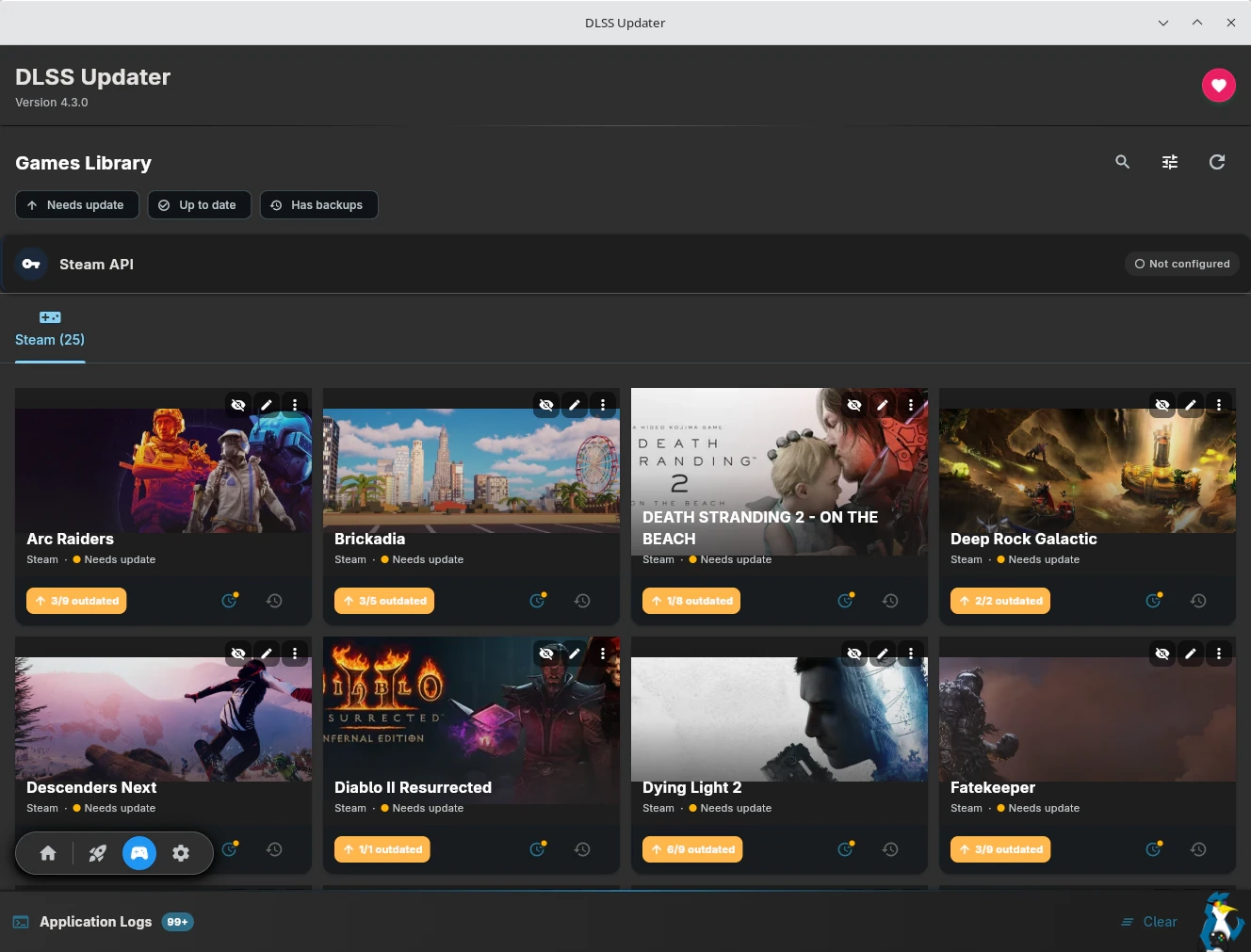
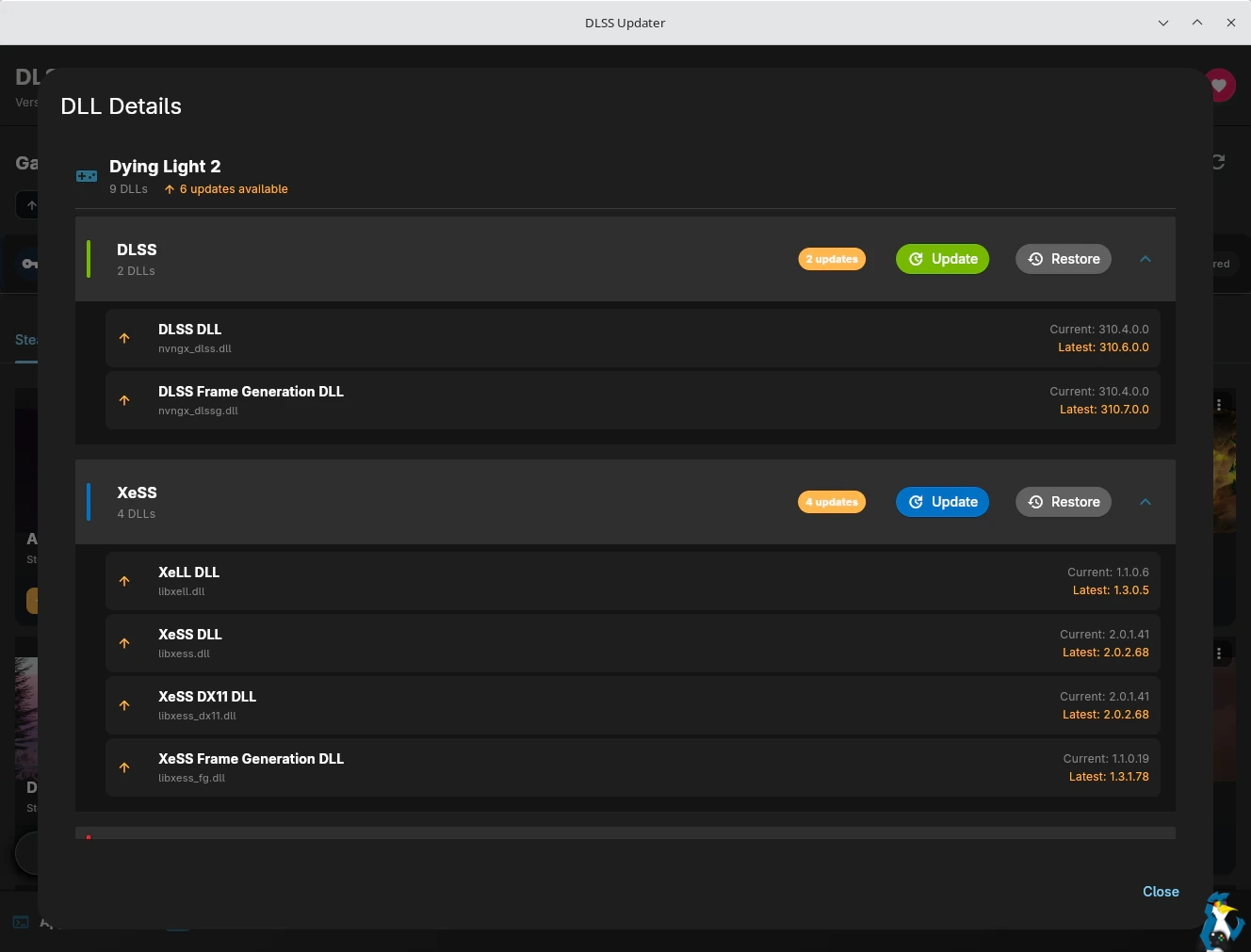
What exactly is DLSS Updater? Don’t let the name fool you, it covers a lot more than just NVIDIA DLSS! Using this app you can scan your system to detect games with different upscaling and frame-generation technology (DLSS / XeSS / FSR), then use it to upgrade the DLL versions they use with backups to easily revert anything. It should work across various different game launchers!
The latest release version 4.3.0 brings even more Linux enhancements with the developer noting:
The Linux DLSS panel has grown into a full Proton Upscalers panel — one place to set up DLSS, FSR 4 and XeSS launch options for your Proton/Wine games, whichever GPU you’re on:
- DLSS Ray Reconstruction & Frame Generation overrides (NVIDIA) — the panel now covers RR presets and an FG override alongside the existing SR presets, matching the Windows per-game DLSS dialog. New “Latest” and “Preset J” SR choices too. Works on any Proton, including Valve’s
- One-toggle DLL upgrades — flip a switch instead of memorising PROTON_DLSS_UPGRADE / PROTON_FSR4_UPGRADE / PROTON_XESS_UPGRADE. These use the built-in downloaders in GE-Proton, Proton-CachyOS and Proton-EM to keep upscaler DLLs current without touching game files, with optional on-screen indicators to confirm they’re active
- FSR 4 on RDNA3 or RDNA4 — the panel detects your GPU and picks the right FSR 4 path, recommending RDNA3 mode automatically on RX 7000 cards
- Per-game validation — select a game and the panel shows which Proton build it actually runs under (read from Steam’s own settings) and greys out toggles that build doesn’t support, so you can’t generate options that silently do nothing on Valve’s Proton
- Copy-paste anywhere — output is a standard ENV=… %command% line for Steam’s launch options, and the same variables work in Heroic and Lutris environment settings
Here’s how it looks on Fedora KDE 44:
Love how easy this makes everything!
Hopefully at some point they can get it on Flathub, but they had issues with it a few weeks ago. Until then, you can download the Flatpak from the GitHub.
🌐 External Sources: github.com/Recol/DLSS-Updater, github.com/Recol/DLSS-Updater